Homework, with fewer detours.
Keep the tools needed for the task. Let the apps that pull everyone away wait until afterwards.
 HoneyBeacon™
HoneyBeacon for families
Make room for homework, dinner and being together. Set aside distracting apps, keep your essentials available and work towards a family treat.
For iPhone · iOS 17 or later · Coming soon

WHY HONEYBEACON EXISTS
“My wife, Laura, told me our 17-month-old daughter had been trying to get my attention for two minutes while I stayed glued to an ‘urgent’ email.”
Our phones are built to pull us in. I created HoneyBeacon to offer a simple way to break that habit, and be here for the moments I didn’t want to miss.
Gary, founder of HoneyBeacon
The everyday moments
Keep the tools needed for the task. Let the apps that pull everyone away wait until afterwards.
Agree on a window for the meal. Give the conversation everyone’s attention, including yours.
The last email can become another half-hour. Make some space for the people you came home to.
Different people need different apps. Each family member keeps their own permitted list.
One family goal
Pizza night. A trip to the coast. Something you’ll all look forward to.
Choose the reward together and set your target. Eligible focus sessions contribute Honey, the app’s progress points, towards one shared family Honey Jar.
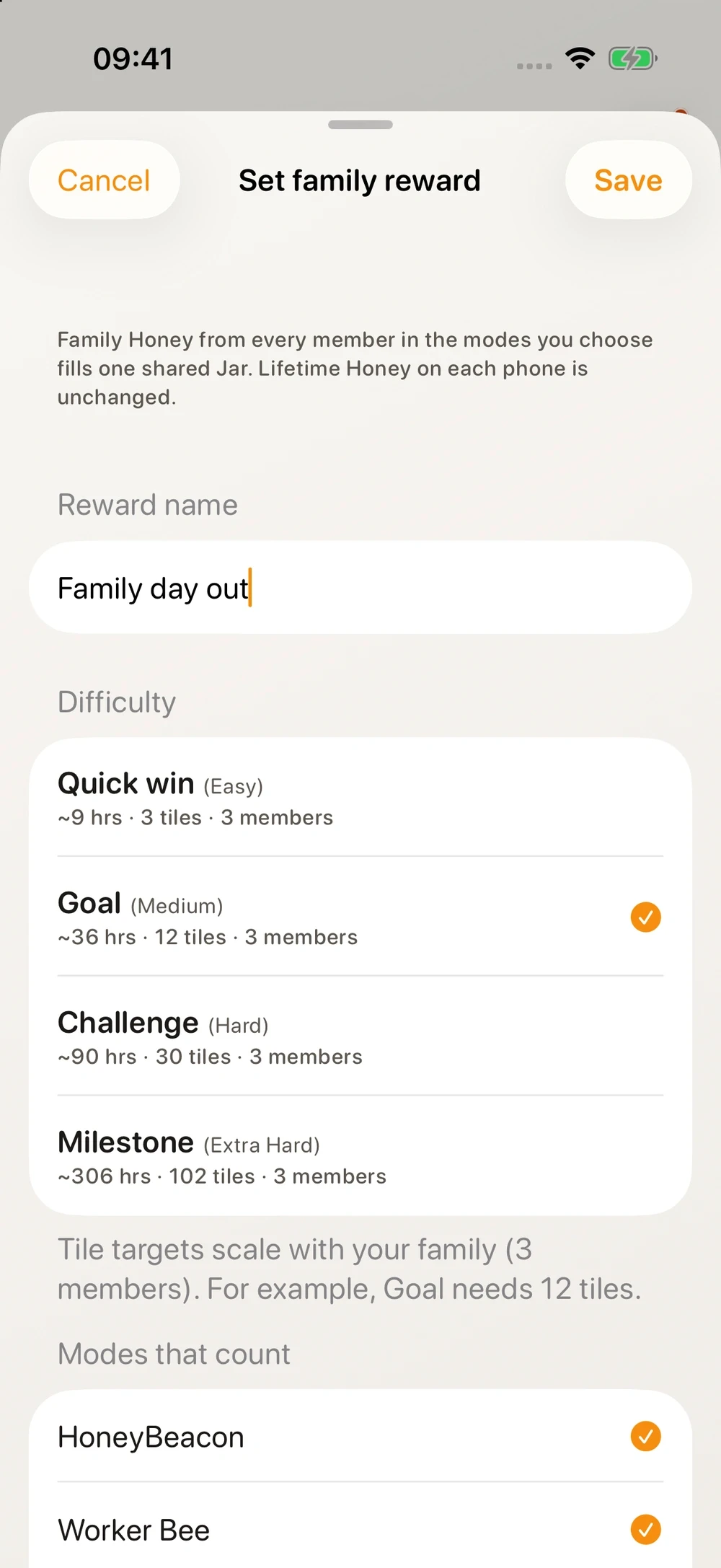
Your family chooses and provides the reward. Honey has no cash value.
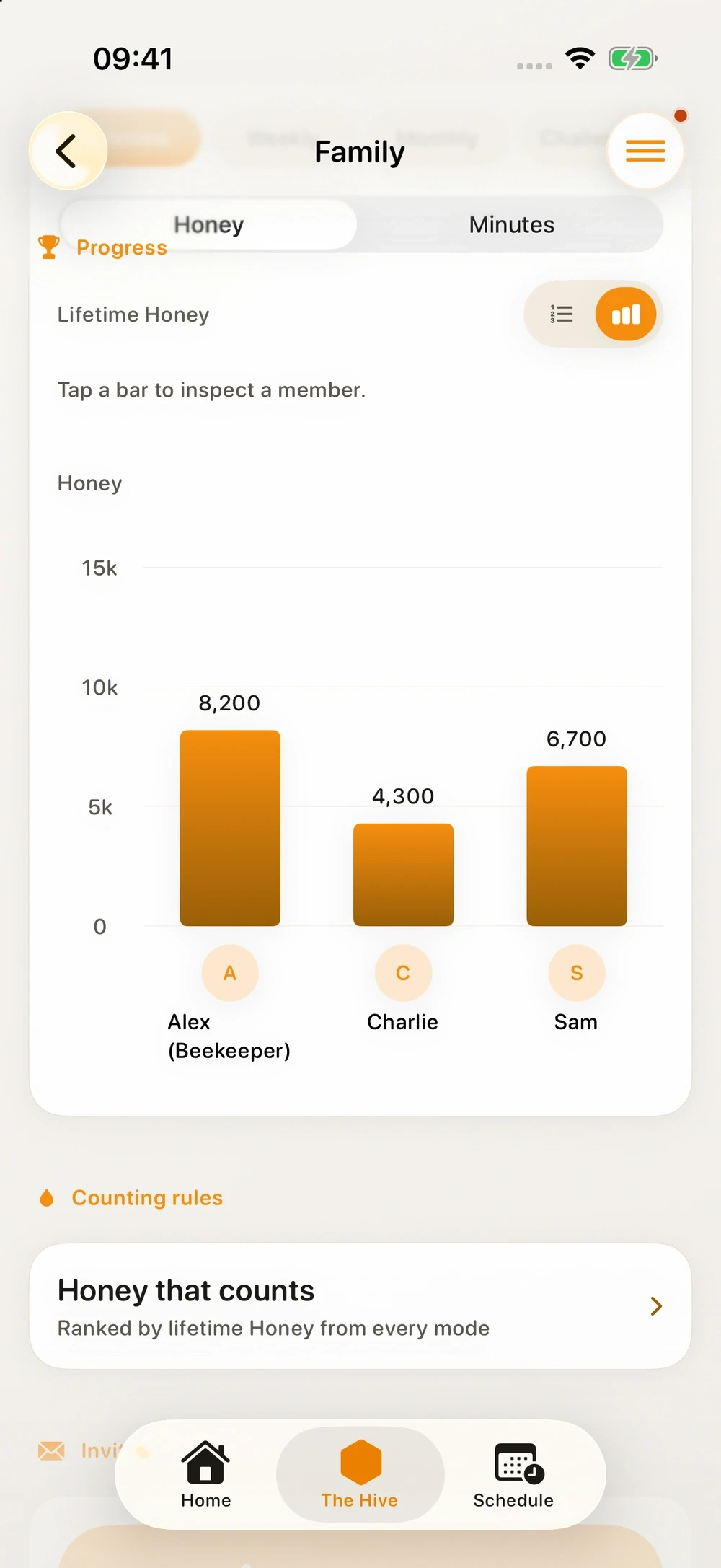
Everyone’s part counts
Follow each person’s contribution, celebrate progress and keep your next shared goal in sight.
Personal Lifetime Honey stays separate from the family reward Jar. Progress reflects eligible focus sessions, not a measurement of reduced screen time.
Explore family rewardsGetting your family started
One Family membership. One household. Up to six people.
Your family organiser
Create your household and invite up to five others with a code. The organiser is called a Beekeeper in the app.
Plan a Quick Session or a repeating schedule. Each person chooses the apps they need to keep available.
Sessions begin according to your household’s participation settings. Start with an app-only timer, or configure a nearby beacon mode.
Members normally choose Start or Decline on their own phones. Adults can manage whether they receive remote requests.
Quick Sessions can start automatically when that option is enabled. It is a separate setting from supervision.
Supervised members follow their configured Beekeeper permissions. Review those choices together before relying on a routine.
A place for being together
Start with the app. Add a physical cue if it fits your family.
Pair a HoneyBeacon and calibrate its zone where you want fewer distractions. In a configured nearby mode, Bluetooth helps your iPhone recognise that space and apply your session’s blocking rules.
A Bluetooth cue for a place. Nearby detection follows your setup and selected mode.
A separate NFC tag. Scan it with a compatible iPhone for an assigned action.
Nearby zones are approximate. Walls, placement and iOS background behaviour affect detection. Leaving a zone does not remove other active restrictions.
How the devices work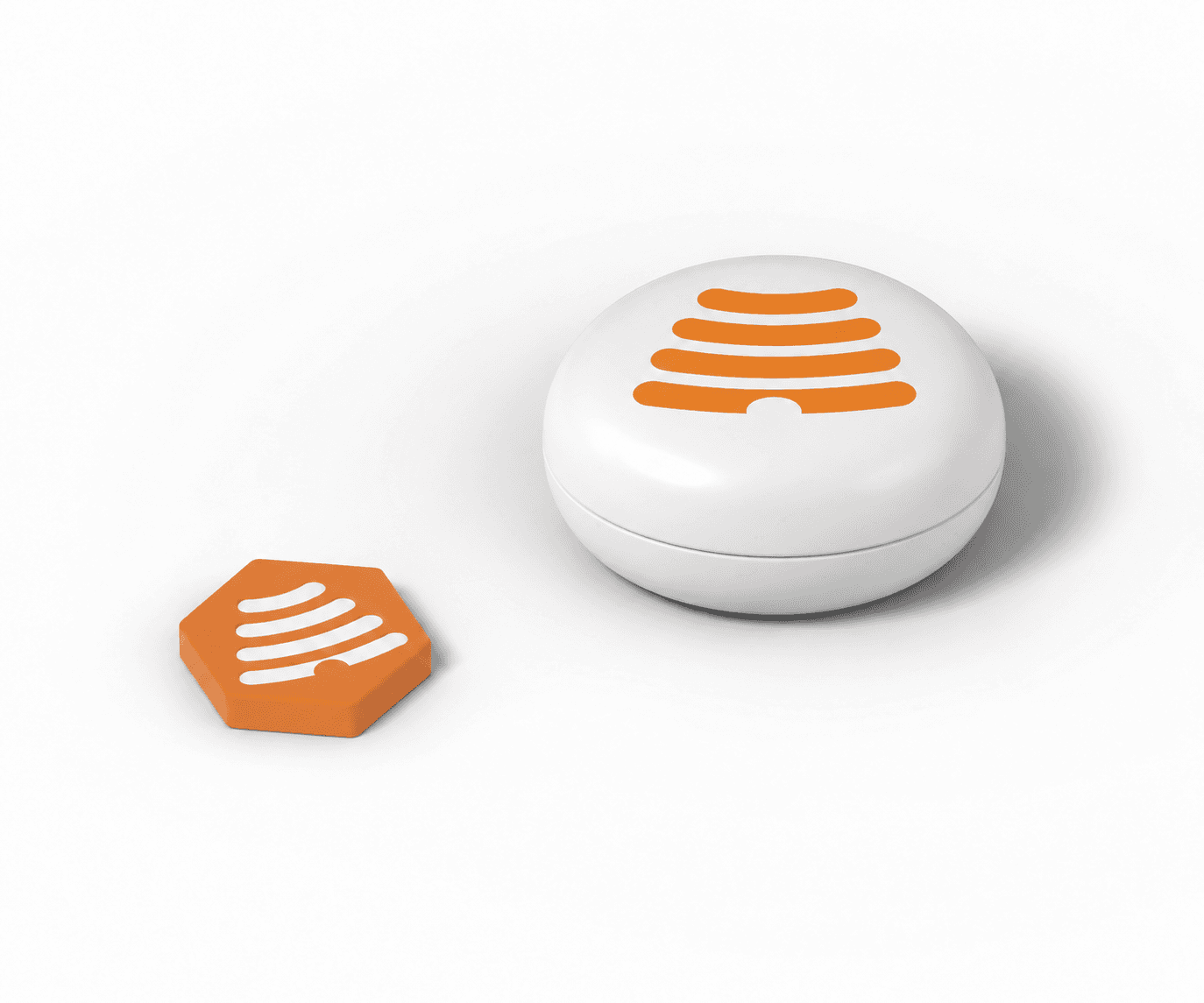
Your family setup
Use the app on its own, or add devices for the spaces you share.
UK reference prices
UK reference prices shown. Local prices update automatically where available.
App only
Shared timers, routines and rewards for up to six people.
UK £49 / year
Or UK £4.99 monthly
An Apple subscription renews monthly or yearly until cancelled in your Apple account.
Explore the Family appTwo focus spaces
One for the dinner table. One for another favourite spot.
UK £119.99
Planned launch pack price · one-off
Included period starts at activation. Apple shows renewal terms before redemption. Then choose free Core or a paid subscription.
Notify meMore rooms and routines
A few more places to make time for what matters.
UK £169.99
Planned launch pack price · one-off
Included period starts at activation. Apple shows renewal terms before redemption. Then choose free Core or a paid subscription.
Notify meUK reference membership prices. Your App Store country determines the final amount.
Apple shows the final subscription price before purchase. An existing Apple subscription continues separately until cancelled. Free Core does not include shared Family features.
Prices are planned. No payment is taken here. Joining the waitlist does not reserve a pack, price or delivery date.
Parents’ questions
Shared routines work best when everyone knows what to expect.
Family privacyYes. Each person needs the HoneyBeacon app on an iPhone with iOS 17 or later and Screen Time permission. Android is not supported at initial launch. HoneyTag needs a compatible NFC-enabled iPhone. See compatibility requirements.
Absolutely. The Hive Family supports up to six people in one household, including parents. Everyone can contribute eligible focus time towards the family goal.
Normally, members choose Start or Decline on their own phones. Quick Sessions can start automatically when that option is enabled. Supervised members follow their configured Beekeeper permissions.
The household organiser, called a Beekeeper in the app, manages the permissions available to supervised members. Quick Session auto-start is a separate setting. Review both together in the app before relying on a routine. Read the family guide.
Yes. Each person chooses their own permitted apps before starting. Those apps remain available, subject to any other active restrictions. Check the settings before relying on an app during a session.
A Flight is a temporary pause. Finishing a session or changing its settings depends on the session, commitment rules and any supervision permissions. Lockdown adds extra commitment rules. See how pauses and controls work.
No. Shared timers and schedules work through the app. HoneyBeacon adds a configured nearby focus zone. HoneyTag adds a physical scan for an assigned action. You can use either accessory, both, or neither.
Family features share relevant household, session and progress information, including contributions towards shared goals. This is not a view into everything someone does on their phone. Read the family privacy notice for the information shared and how it is used.
Your family chooses and provides the reward. Honey is the app’s progress points and has no cash value. HoneyBeacon does not pay for the treat.
Duo and Whole Home include three months of The Hive Family from activation. Apple shows the offer duration and renewal terms before you redeem. Continue with free Core or choose a paid Apple subscription to keep Family features. A subscription you already have continues separately until cancelled.
The app is available now. Get an email when HoneyTag and HoneyBeacon pre-orders open. No payment or commitment.
Joining does not reserve a device, launch price or delivery date.