Save your routine.
Add your official tag in Settings. In Quick Session, choose your timer and the apps that stay available, then save the routine to your tag.
 HoneyBeacon™
MEET HONEYTAG
Your favourite focus settings, ready to use.
Keep a HoneyTag beside your notebook or coffee machine. Once set up, scan with your iPhone to begin with your saved settings, without interacting inside the app. No Bluetooth beacon needed.
1-pack UK £14.99 · 2-pack UK £24.99 · 4-pack UK £39.99
Planned prices · Pre-orders opening soon
Free UK shipping
Works with the free Core iPhone app. Join the launch list for updates.
HOW HONEYTAG WORKS
Set up your HoneyTag once, then return to your saved routine with a scan. Here is how to begin.
Add your official tag in Settings. In Quick Session, choose your timer and the apps that stay available, then save the routine to your tag.
Enable notification scanning for your tag in the app. Then, with your iPhone screen awake, hold the top of your phone near HoneyTag.
If iOS shows a notification, tap it and unlock if asked. Your saved routine then starts without further interaction inside HoneyBeacon.
Registration needs a verified account and internet access. Notification scanning also needs internet access and a compatible iPhone state. You can scan inside the app too. No Shortcuts setup required.

A MOMENT FOR WHAT MATTERS
Wake gets you on your feet. Then a familiar part of your morning becomes a little more time for yourself.
Scan your configured HoneyTag and settle into your saved focus routine, without interacting inside the app. In the morning, that same kind of scan can also finish Wake, the alarm that asks you to get up.
See how scanning worksSMALL DEVICE. EVERYDAY ROUTINES.
FOCUS
Keep a tag beside your notebook. Scan your saved Quick Session when you sit down to work. Choose full-timer blocking to keep the session going if you leave your desk.
WAKE
Place your configured Wake tag away from the bed. Getting up to scan it becomes part of finishing your alarm.
Wake requires iOS 26+, alarm permission and the relevant app feature access.
TOGETHER
Prepare a supported Family or Bee Together session. The organiser and selected participants scan the same tag within five minutes.
Everyone selected joins through the prepared invitation and scans the tag. Internet access is required.
HONEYTAG OR HONEYBEACON?
HoneyTag starts with a scan you choose to make. HoneyBeacon uses Bluetooth to tell the app when you’re nearby.
Walking away from HoneyTag does not end a session. Your timer, schedule and commitment settings still apply.
With a paired HoneyBeacon, a nearby session starts in the zone and ends when you leave it.
One official tag can be registered by more than one person. Each person’s saved routine and permissions stay separate.
Compare ways to focusDepending on your session settings, you can assign a tag to finish a session or take a Flight, a temporary pause. Your permissions, pause limits and Lockdown rules still apply.
Each person keeps control of their own settings. Sharing a tag does not give someone permission to end your session.
Read the setup and controls guide


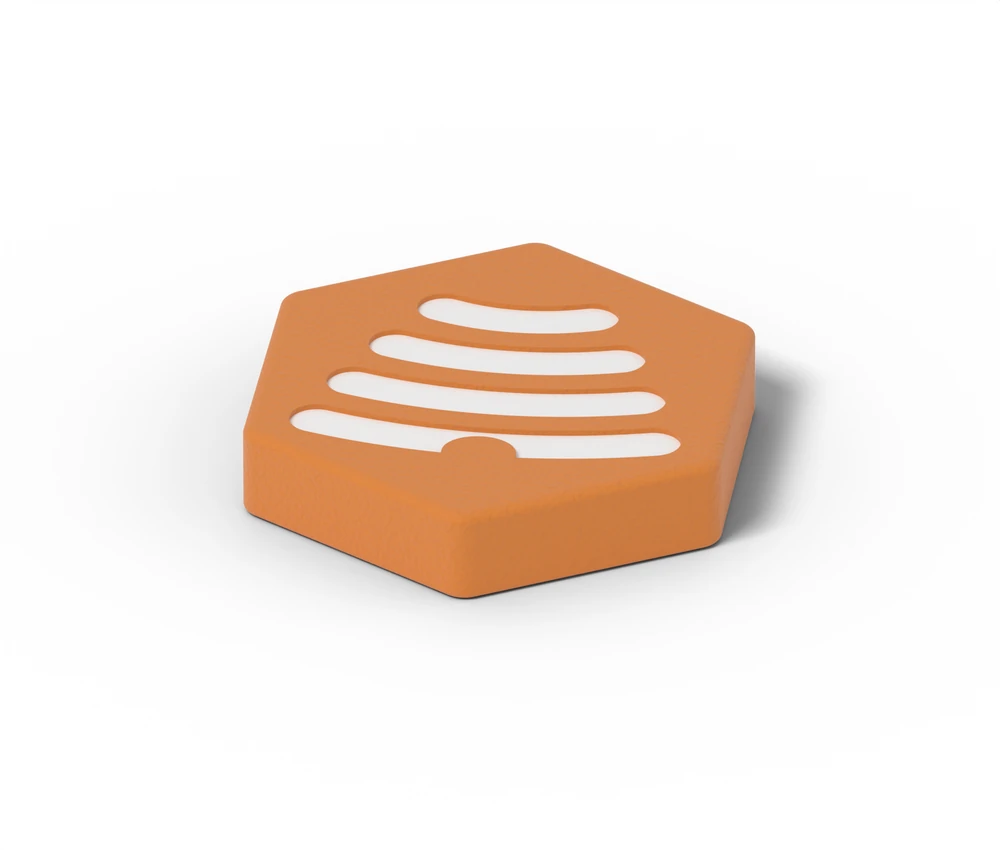
Four-pack shown. Product and packaging design visualisations; final packaging may vary.
HONEYTAG · A SMALL MOMENT TO BEGIN
A small physical cue for the moments you want to give your attention to.
Your saved routine, a scan away.
Works with free Core. No beacon needed.
From UK £14.99Choose one, two or four tags.
Choose your packPlanned prices · Pre-orders opening soon
A TAG FOR YOUR ROUTINE
Tag packs work with the HoneyBeacon app. You do not need to buy a Bluetooth beacon.
UK reference prices
UK reference prices shown. Local prices update automatically where available.
One more place to start a session or finish Wake.
UK £14.99
Planned price · one-off purchase
Expected arrival: November–December 2026.
UK delivery only. Choose a multi-pack for other supported countries.
Notify meA cue for your desk, and for Wake in the morning.
UK £24.99
Planned price · one-off purchase
Expected arrival: November–December 2026.
Notify meMore places to begin, or tags to share with your household.
UK £39.99
Planned price · one-off purchase
Expected arrival: November–December 2026.
Notify meUK hardware prices include VAT. Starter includes one HoneyBeacon and one HoneyTag for a planned UK £69.99. Final mounting, delivery and offer details will be confirmed before orders open.
Free shipping on UK tag orders.
See Starter, Duo and Whole HomeGOOD TO KNOW
Yes. Each verified user registers the official tag in their own account. Names, saved routines and session assignments stay separate. Registration does not give another person permission to stop your session.
After notification scanning is set up, scan with the iPhone screen awake and tap the iOS notification. Unlock if asked. iOS may not read a tag while Camera, Wallet or another NFC reader is active, or before the first unlock after restarting.
Registration, notification starts and shared authorisation require internet access. Some existing personal in-app permissions can operate offline. Do not rely on all tag actions being available without a connection.
Open Settings → HoneyTags to review it. A tag assigned to an alarm, schedule or Flight may need to be reassigned before it can be disabled or removed. Follow the relevant session’s recovery controls or contact support. Another tag cannot automatically end an assigned session.
New registration requires an official HoneyTag registered by HoneyBeacon. Generic NFC tags are not supported for new registrations.
Final mounting and adhesive details will be confirmed before orders open. We will confirm what comes in the pack before you order.
MAKE ROOM FOR MORE MOMENTS
Join the launch list to hear when HoneyTag and HoneyBeacon pre-orders open. No payment or commitment.